Select
Display a predefined list of options to choose one or more items—commonly used in forms, table filters, page-level filters, and sorting interfaces.
 View in Storybook
Variants
Select comes in two types:
- Single item selection
- Multiple items selection
Behavior
-
The selection process adds newly chosen items to the select label to show them in the multiple-item variant, but applies the full selection only when users click outside the select to finalize it.
-
Leave the select empty or populate it with a pre-selected value depending on your use case.
-
Search functionality is omitted to avoid redundancy when selects contain fewer than ten items or all items fit without scrolling; however, if a search bar is present, the system autofocuses it to enable immediate typing when users open the select.
-
Select all and Clear all are optional controls that enable users to quickly select and deselect all items, for instance, in filters. Clear all is hidden by default and appears when at least one item is selected.
-
You can display the label for multiple-item selects in the following ways.
Usage
Use when you want to implement a predefined list of items for users to select from.
Best practices
Use a placeholder for selects without labels.
 Do
Do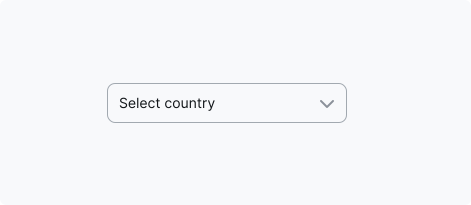
 Don't
Don't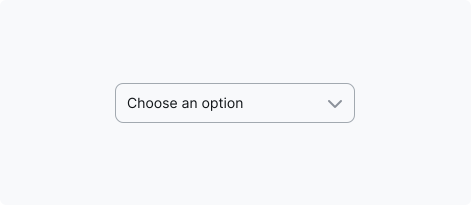
Accessibility
Keyboard focus
- The keyboard focus state replicates the Dropdown select's active state and adds a 2px ring.
- As focus moves across dropdown items, the Dropdown select remains active.
- For the focus ring, use a colour from the Brand primary palette (default: Primary/500).
- Ensure the focus state has a minimum contrast ratio of 3:1 against the background for accessibility compliance.
Keyboard interactions
See the ARIA Authoring Practices Guide: Combobox Pattern for guidance on expected keyboard interactions, including roles, labels, and properties.
Resources
Refer to Understanding 2.1.1 Keyboard for more information on expectations, intent, benefits, and techniques.