Checkbox
Create an input that allows users to select one or more options from a group.
Checkboxes come in two types: with and without a label.
 View in Storybook
Behavior
Provide a method to confirm the selection.
Best practices
If you want to provide a control that switches a state on and off, consider using a Toggle.
 Do
Do
 Don't
Don't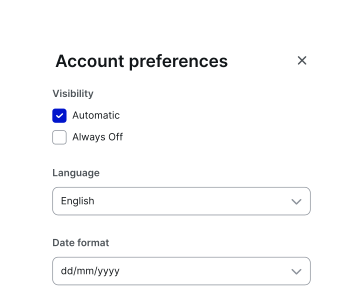
To create a more customizable alternative for selection, consider using Pills.
Accessibility
Keyboard focus
- The keyboard focus state replicates the Checkbox's visual hover state and adds a 2px ring.
- For the focus ring, use a colour from the Brand primary palette (default: Primary/500).
- Ensure the focus state has a minimum contrast ratio of 3:1 against the background for accessibility compliance.
Keyboard interactions
See the ARIA Authoring Practices Guide: Checkbox Pattern for guidance on expected keyboard interactions, including roles, labels, and properties.
Resources
Refer to Understanding 2.1.1 Keyboard for more information on expectations, intent, benefits, and techniques.