Empty state
Communicate system status and provide action cues when no data is displayed.
The Empty state component is available in two sizes — M and S.
Usage
No data yet
Use this empty state when there's no content or data to display on a specific page or section. It offers clear guidance on how to fill the space with relevant content.
No results
Use this empty state when a search, filter, or query yields no matches. It can provide users with hints or suggestions to help refine their search, adjust filters, or consider other avenues.
Error
Use this empty state when an unexpected technical issue arises in the application. It succinctly outlines the nature of the error, offering a glimpse into potential causes such as server issues, network disruptions, or database complications.
Where appropriate, guide users with actionable steps to address or navigate around the issue.
Behavior
When using empty states inside a Table to convey its status, ensure the table header remains visible.
Placement
Center empty states within the page, card, and modal. Ensure a distance of 64 px from both the page header or toolbar and the top of the card and 64 px from the bottom of the surface.
Size
By default, the maximum empty state width is 400 px. The component is available in two sizes — M (medium) and S (small).
Size M
Use size M within large cards and full page layouts.
Size S
Use size S within small cards and widgets. It doesn't have an image and fits compact layouts.
Best practices
-
Avoid changing size of images—consider using size S for small cards instead.
 Do
Do
 Don't
Don't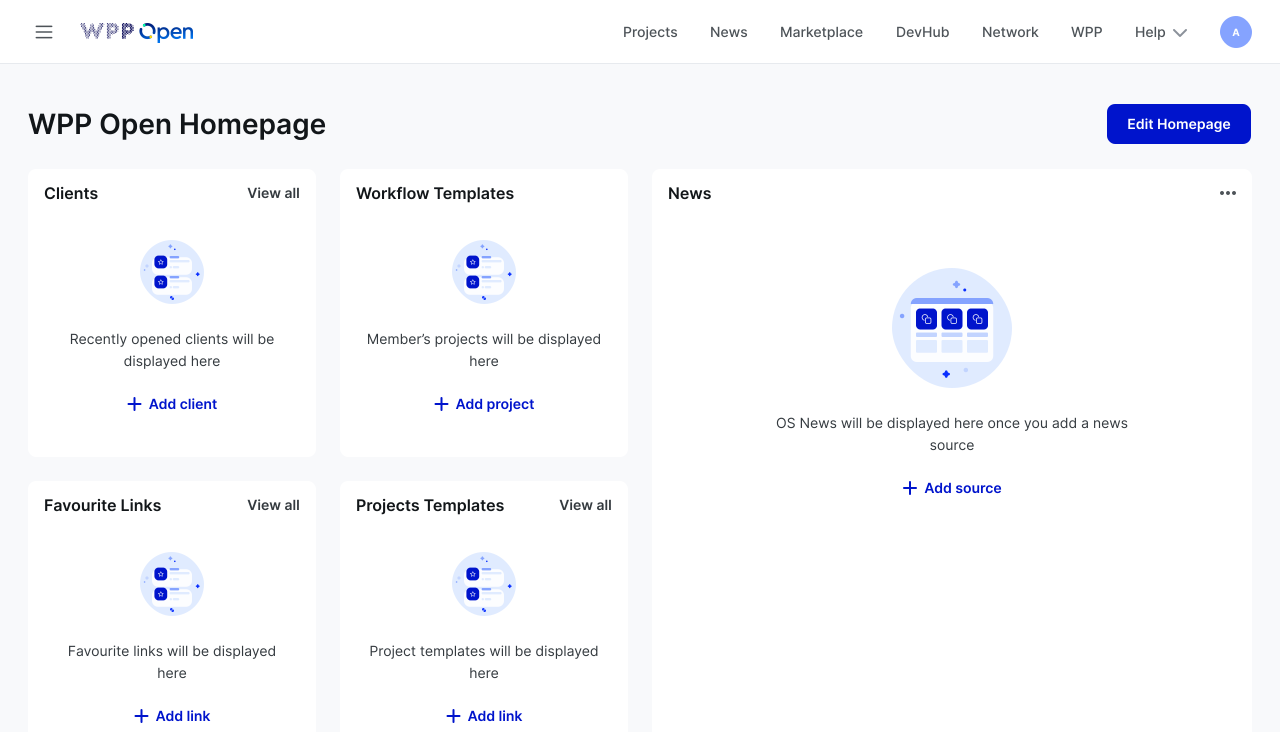
-
Avoid duplicating call-to-action buttons within both the empty state and on the page.
-
Position the primary call-to-action button directly within the component.