Set up your GitHub
Before starting to work with the WPP developer assets, you need to access the WPP Open GitHub account and create an authorized personal access token.
Prerequisite
- GitHub account: Create a GitHub account. If you have an existing GitHub account––please enable two-factor authentication.
- WPP Okta account: To access WPP Open resources, developers need a WPP Okta account. You can request accounts by contacting the uHub and Product Migration teams and submitting a list of users with their emails and GitHub handles.
Steps to access WPPOpen GitHub
-
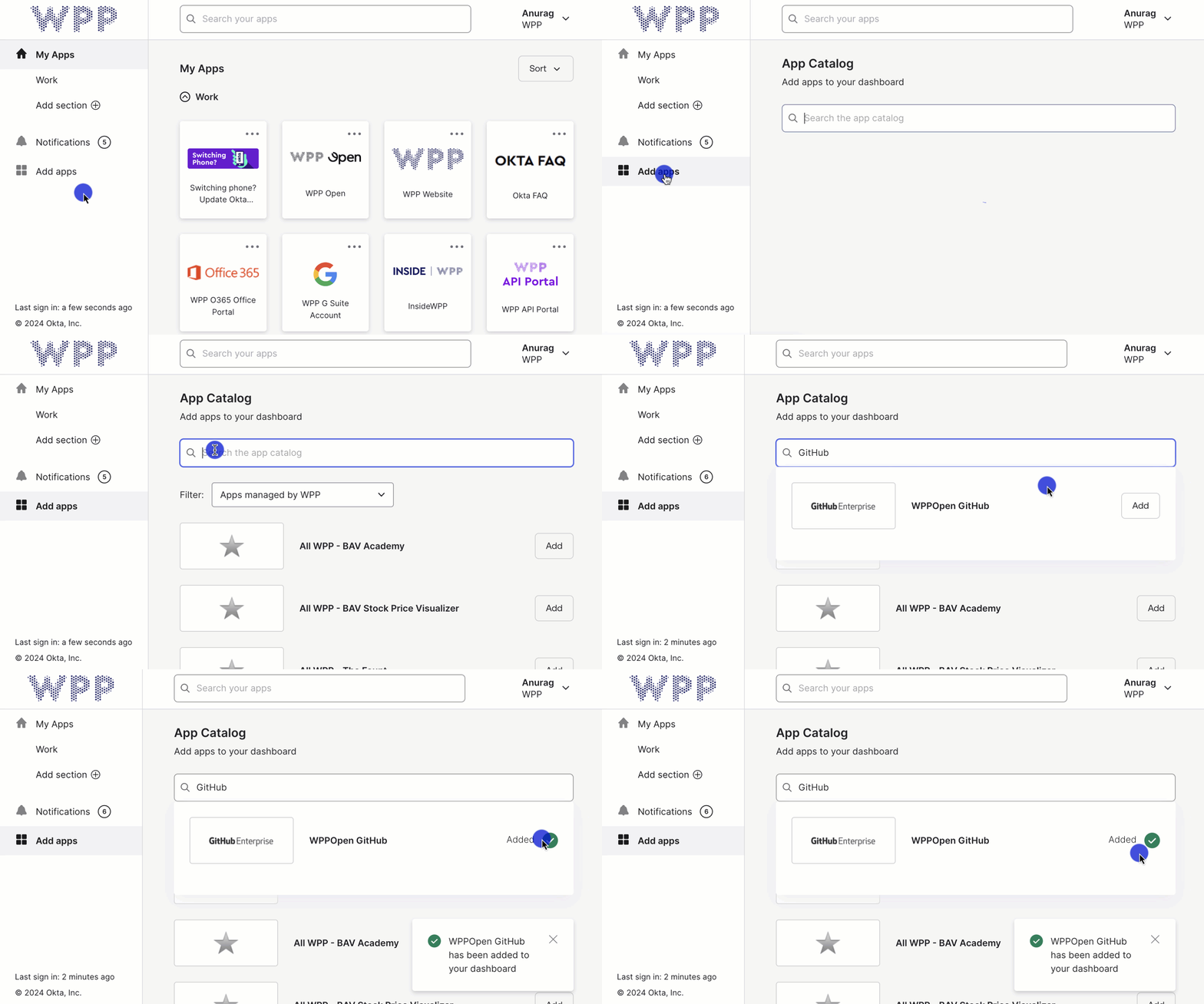
Sign in to your WPP Dashboard.
-
In the sidebar, select Add apps, search for GitHub, and add WPPOpen Github to your apps.
-
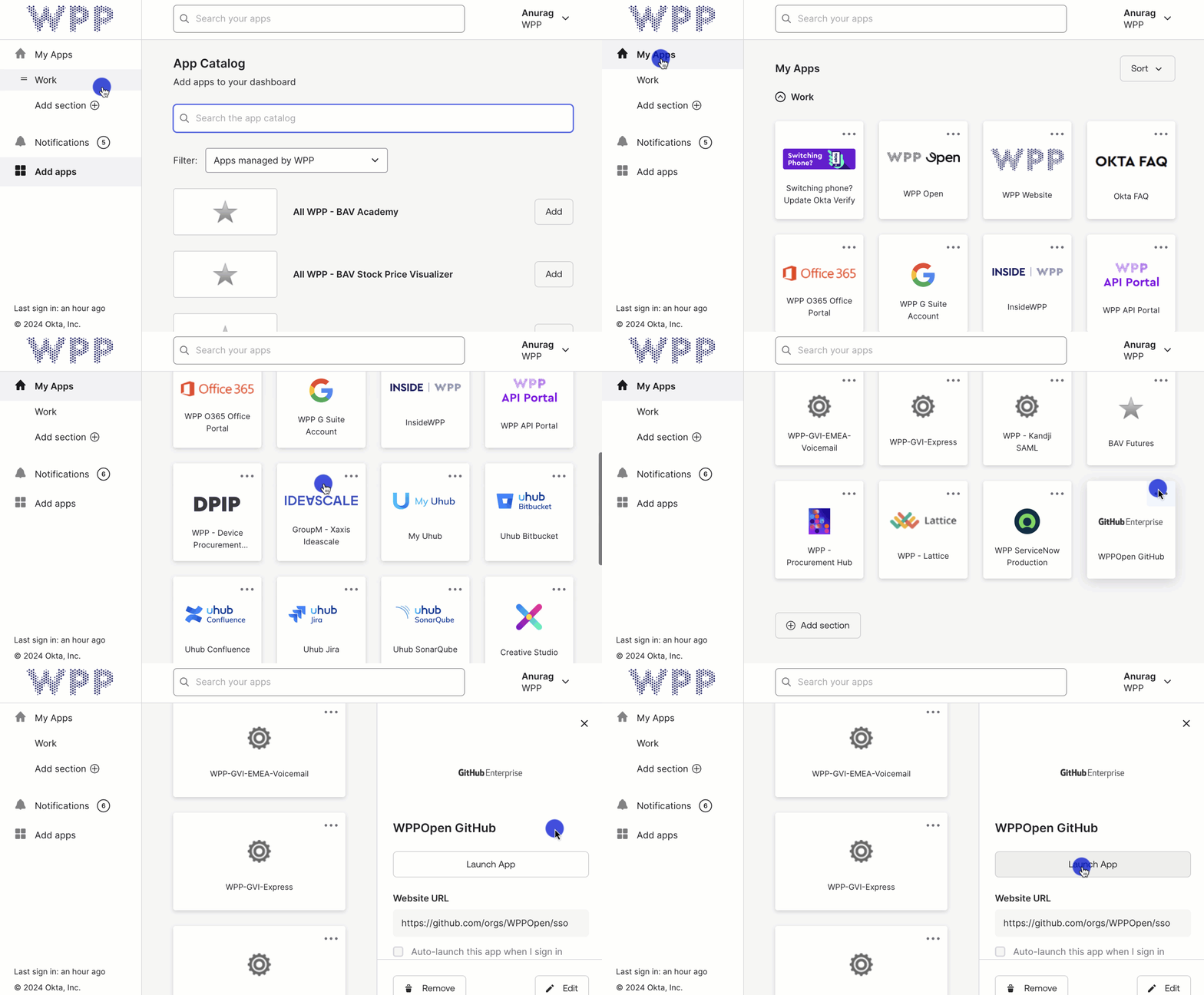
Go back to My Apps and open WPPOpen Github.
-
Launch the app and log in with your GitHub account.
tipSometimes, the WPP Open GitHub account appears empty on the first sign-in. To resolve this, simply close the app and reopen it from your WPP Dashboard.
-
Configure Okta SSO (Single Sign-On).
noteConfiguring SAML single sign-on using Okta allows users to log in to multiple applications with a single set of credentials.
-
Create a personal access token with all scopes and authorize it with WPP Open.
noteWe offer boilerplates for React, Angular and Vue that save developers time by eliminating the need to set up basic project configurations from scratch. For instance, you can clone a boilerplate of React using the following command:
git clone [email protected]:WPPOpen/os-react-app-boilerplate -
We provide the template
.yarnrc.tmpl.ymlwhich has the registry URL.
Create your own.yarnrc.ymlfile that initially contains the same content as the.yarnrc.tmpl.ymltemplate using the following command:cp .yarnrc.tmpl.yml .yarnrc.yml -
Edit
.yarnrc.ymlreplacing the{$GITHUB_TOKEN}placeholder with your actual GitHub token.yarnPath: .yarn/releases/yarn-3.2.2.cjs
nodeLinker: node-modules
npmScopes:
wppopen:
npmRegistryServer: 'https://npm.pkg.github.com'
npmAlwaysAuth: true
npmAuthToken: {$GITHUB_TOKEN}
Trouble with accessing GitHub?
Issue: I followed the steps to assign myself a GitHub Enterprise seat via wpp.okta.com, but I still can't access GitHub.
Solution: Please double-check that you haven't missed Step 5 and Step 6 of the self-assignment process. These steps are crucial for successful license activation and access.
Issue: My GitHub access token has stopped working.
Solution: This is often related to license status. Please refer to the license revocation message on the WPP Open GitHub page. The following are some of the key highlights from the message:
- Due to significant licensing costs from unused licenses, licenses will be revoked for users without reportable active usage in the past three months.
- To prevent license revocation, users must log in to the GitHub web interface at least every three months.
- Revoked licenses can be re-assigned by using the GitHub WPP Open tile at wpp.okta.com.