First steps to self-service onboarding
Welcome to the API First self-service onboarding, which enables you to streamline API development and deployment.
If you're already comfortable working with Google Apigee, consider following our Quickstart.
This guide provides detailed instructions on creating and configuring API proxies, providing the necessary API docs, and deploying API proxies to production. As a result, you will have an API proxy boilerplate that you can use to configure future proxies.
But before we can proceed, there are a few things you need to do:
- Introduce yourself and your team
- Get access to the necessary tools
- Describe your API to the API First team
Introduce yourself and your team
Before onboarding any APIs, we ask that you introduce yourself and your team to ensure we can provide all the help and support you need.
To introduce yourself:
-
Create a ticket with the following information:
- Name of the primary reporter
- Your OpCo and team
- Names and emails of your developers
- Names and emails of your business users in production
Access necessary tools
To go through the self-service onboarding process, you will need access to the Test - Apigee EDGE Non Prod app and the WPP GitHub account.
Test - Apigee EDGE Non Prod
Test - Apigee EDGE Non Prod offers a dev environment where you can create and test API proxies.
-
Sign in to your WPP Developer Dashboard.
If you've successfully identified yourself as a developer to the API First team, the Test - Apigee EDGE Non Prod app should already be under My Apps.

If the app is not there, go to Add apps, search for Test - Apigee EDGE Non Prod, and add it to your apps.
Once you have the Test - Apigee EDGE Non Prod app, create a ticket so we can set up a user for you in Google Apigee. The setup usually takes less than one business day.
WPP Open GitHub
-
Sign in to your WPP Dashboard.
-
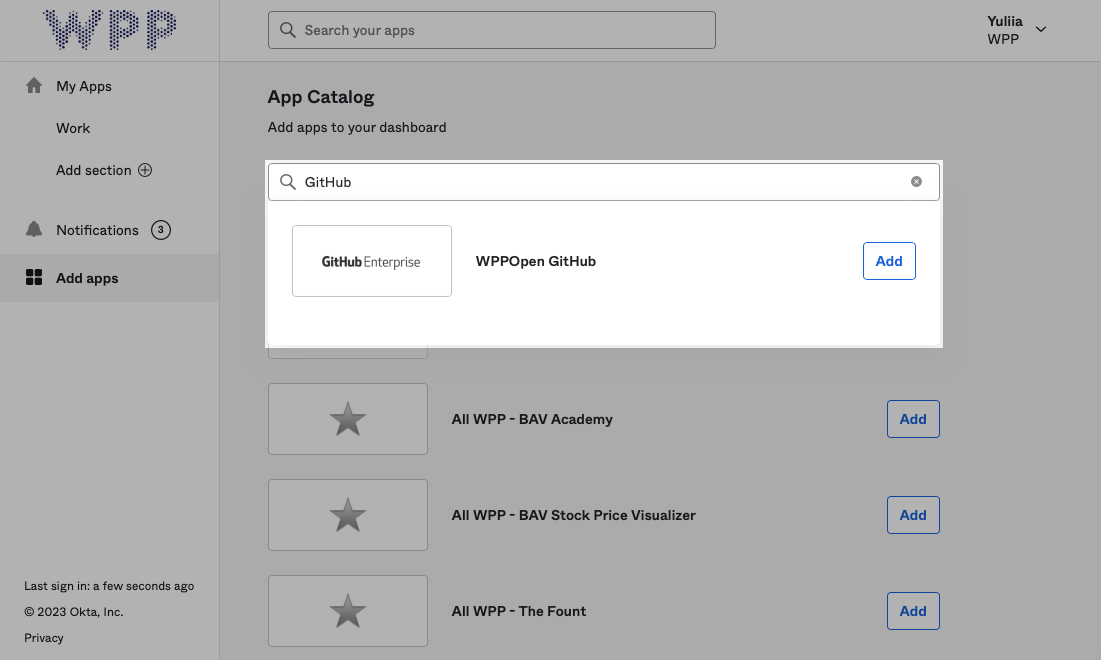
Select Add apps, search for GitHub, and add WPPOpen Github to your apps.
-
If you don't already have one, create a GitHub account with MFA.
-
Go to the WPP Open GitHub account, where you can find the necessary resources.
Let us know about your API
To ensure your API reaches as broad an audience as possible, we inform the API First users about each upcoming API. This also helps us avoid cases when several OpCos work on similar API ideas.
For this reason, we ask that you provide a basic overview of the API you're developing:
- Brief API description
- Contact details of the API owner
- Date when you expect to go live
Once you provide this information, we will create a page in the API portfolio and publish it there.