Deploy your API proxy to production
This guide explains how you can set up a GitHub repository, configure CI/CD and testing for your API proxy, and then initiate its deployment to production.
Access WPP GitHub Enterprise
- Go to your WPP Dashboard > WPP GitHub Enterprise (for information on how to add it to your apps, see First steps).
- Or, if you already have a GitHub account, go directly to WPP GitHub Enterprise.
Set up a repo for your API proxy
-
Create a repository for your API proxy and clone it to your computer. Follow the WPP naming conventions to name the repository.
-
Follow the guide and file structure in
wpp--apigee--factory--master-repoto set up your repository.
Set up regression testing
-
Export the Postman collection for your API. Rename the exported file to
postman_collection.json.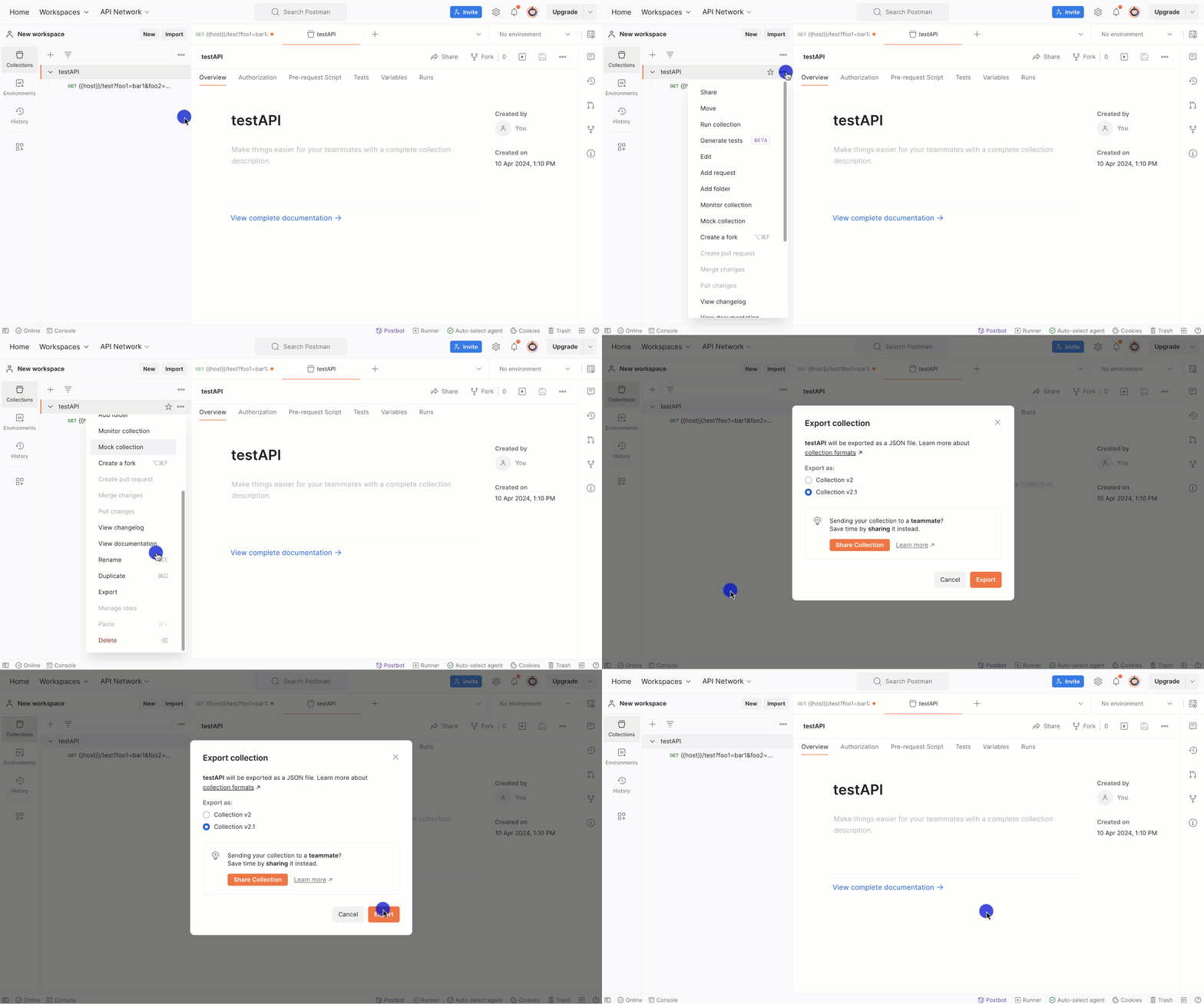
-
Export the environment variables for your API. Rename the exported files in the format
{env}.postman_environment.json(for instance,dev.postman_environment.json). -
Add all the exported and correctly named files to the
testdirectory in your repo.
Download your API proxy bundle
-
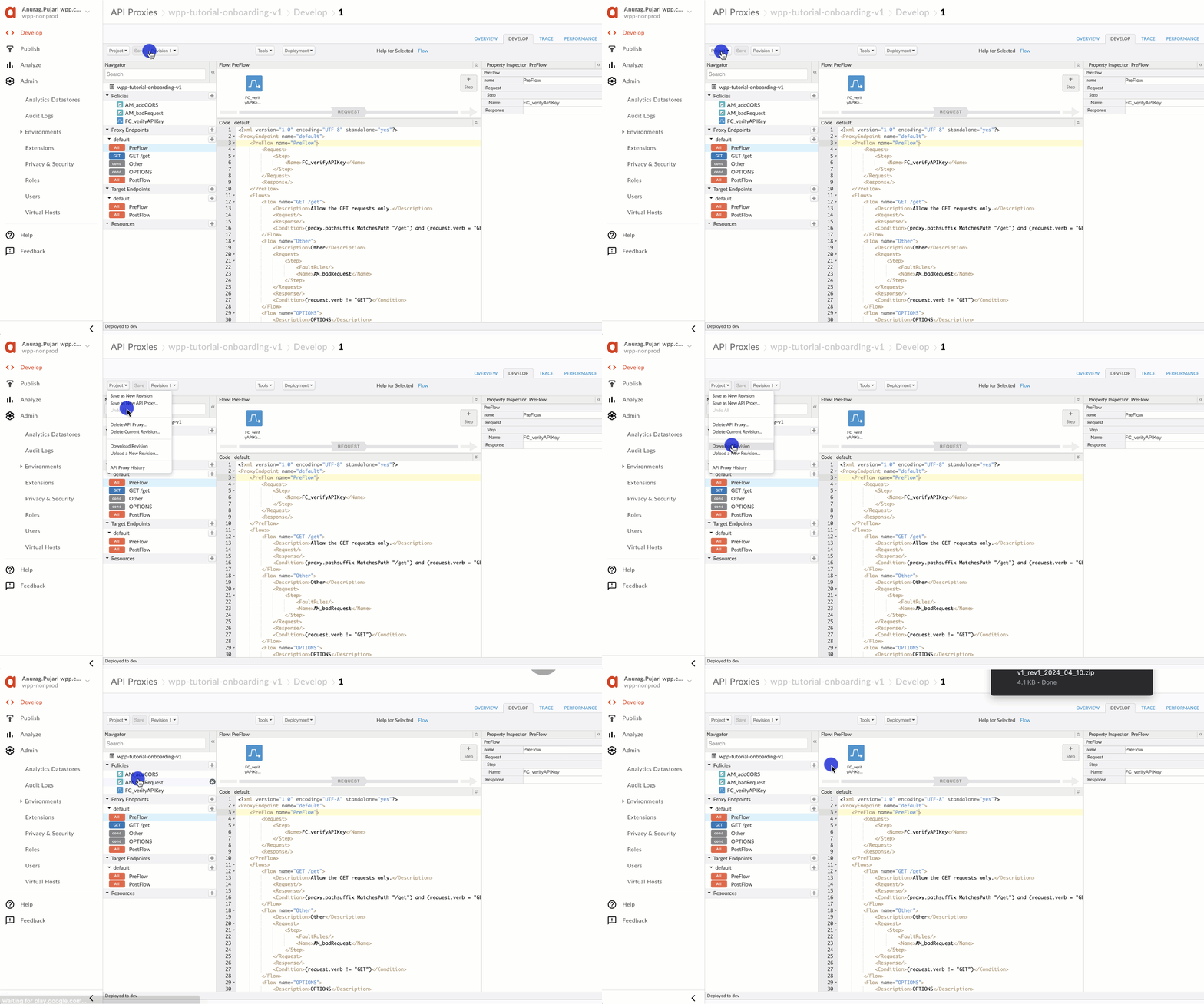
In Google Apigee, download the latest revision of your API proxy. Then, copy and paste the contents of the downloaded apiproxy to your repository.
Set up a CI/CD pipeline
-
Copy and paste
wpp--apigee--factory--master-repo/.github/.workflows/CI_CD.ymlto your repository. -
In
CI_CD.yml, update the following lines:.github/.workflows/CI_CD.ymlenv:
# We will share the APIGEE_USER and APIGEE_PASSWORD values before your start deploying
# Create secrets in GitHub with these values (see https://docs.github.com/en/actions/security-guides/encrypted-secrets)
APIGEE_USER: ${{ secrets.APIGEE_USER }}
APIGEE_PASSWORD: '${{ secrets.APIGEE_PASSWORD }}'
# Disregard the prod password; we will add it once your proxy is ready for production
APIGEE_PASSWORD_PROD: '${{ secrets.APIGEE_PASSWORD_PROD }}'
# Specify the name and URLs for your proxy
APIGEE_PROXY_NAME: 'NAME PROXY'
NONPROD_TOKEN_URL: https://groupm-north-america.login.apigee.com/oauth/token
PROD_TOKEN_URL: https://groupm-north-america-wpp-prod.login.apigee.com/oauth/token
Add your OpenAPI spec
- Add the OpenAPI spec for your API for your API to your repo, and name the file spec.yml.
Deploy your proxy to dev
- Push the contents of your repo to a
developbranch. Then, review the Actions tab in GitHub to see if all the CI/CD steps have run successfully.
Initiate deployment to prod
Once you have completed the steps described in our guide, you should be ready to deploy your API proxy to production.
- Create a pull request to the
mainbranch and briefly describe your development steps. - Notify the API First team of the date when you would like your proxy to go live.
- Once we review and verify your pull request, we will deploy it to production based on your preferred date.