Pick a chart
Once you know what outcomes you want your audience to achieve and come up with the appropriate data and chart layout, it's time to figure out which chart would accommodate your goals best.
This section lists a variety of charts grouped by category to help you make the right choice.
Change over time
Emphasize changes in trends. These can be short (intra-day) movements or extended series over decades or centuries. Choosing the correct period is vital to providing an appropriate context for your data.
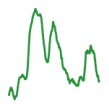 Show a changing time series. If the data is irregular, consider adding markers to data points.
 Show change over time, typically for a single data series at once.
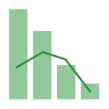 Show a relationship over time between an amount (columns) and a rate (line).
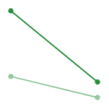 Show changing data in 2 – 3 points, as long as you're not missing the crucial part of the story.
 Show changes in a total, but be careful because the changes in the components of the total would be hard to see.
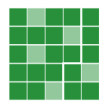 Show temporal patterns (daily, weekly, monthly) at the expense of precision in quantity.
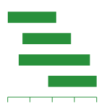 Show the data in which date and duration are key.
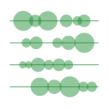 Show discrete values of varying sizes across multiple categories (for instance, earthquakes by continent).
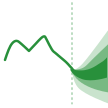 Show the uncertainty in future projections.
 Show changes in proportions over time when the individual values are negligible.
Correlation
Show a relationship between two or more variables. Keep in mind that unless you specify otherwise, most audiences assume relationships between data to be causal (i.e. one variable causes another).
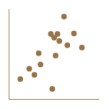 Show a relationship between two variables, each of which has its axis.
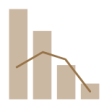 Show a relationship between an amount (columns) and a rate (line).
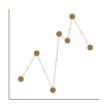 Show a relationship between two variables as it changes over time.
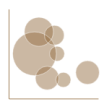 Show a relationship between two variables, and size the circles based on a third variable.
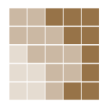 Show patterns between two data categories but be careful because the finer details in values can be hard to see.
Distribution
Show values in a dataset and emphasize how often they occur. A distribution's shape (or skew) can provide a memorable way of highlighting the lack of uniformity or equality in the data.
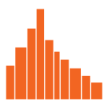 Show a statistical distribution. Keep the column gaps small to highlight the data shape.
 Show a median and range of multiple distributions.
 Show the age and sex breakdown of a population; effectively, these are two histograms back to back.
 Show a range (min/max) in the data across multiple categories.
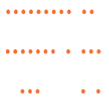 Show individual values in a distribution. You might run into issues if too many dots have a matching value.
 Show individual points in a distribution, preferably in medium datasets. You can size the points based on an additional variable.
Flow
Show the volume of movement intensity between two or more states or conditions. These might be logical sequences or geographic locations.
 Show changes in flows from one state to at least one other state. These charts are suitable for tracing the eventual outcomes of complex processes.
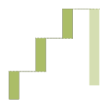 Show data sequencing through a flow process, typically in budgeting. You can also include the +/- components.
 Show two-way flows in a matrix.
Magnitude
Compare sizes. Usually, these work best for comparing relative and absolute values and display a data count instead of a calculated rate or percentage.
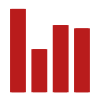 Show a comparison in item sizes. Start at zero on a given axis.
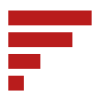 Show a comparison in item sizes when the data is not a time series or the labels are long.
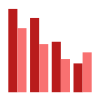 Show a comparison as you would with a column chart but across multiple data series. Be careful when working with more than 2 – 3 series.
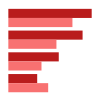 Show a comparison as you would with a bar chart but across multiple data series. Be careful when working with more than 2 – 3 series.
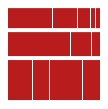 Show size and proportion simultaneously, as long as the data is not too complex.
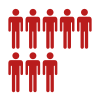 Show data in whole numbers, but avoid splitting pictograms to display decimals.
 Show the value of multiple variables in a space-efficient way. Be careful when organizing the data to avoid potential confusion.
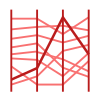 Show the value of multiple variables, but organize the data carefully and highlight the critical values.
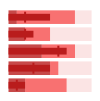 Show measurements against a context or a target range.
Part to whole
Use to break down entities into their components. If your audience is primarily interested in the component sizes, consider using a [magnitude] chart instead.
 Show part-to-whole relationships but be careful because charts with multiple components can be difficult to read.
 Show size and proportion simultaneously, as long as the data is not too complex.
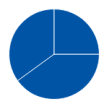 Show part-to-whole relationships but be careful because it might be challenging to compare the segment sizes accurately.
 Show part-to-whole relationships as you would with a pie chart, but use the space in the middle to display additional data.
 Show hierarchical part-to-whole relationships, but be careful because charts with too many small segments can be difficult to read.
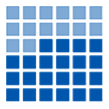 Show percentages, preferably with whole numbers, while using the smaller multiple layout forms.
Ranking
Use when the position of a specific item in an ordered list is more important than its absolute or relative value. Also, consider highlighting the valuable points.
 Show the value ranking sorted into a specific order.
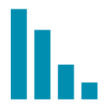 Show the value ranking sorted into a specific order.
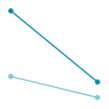 Show how the value ranking changes over time or varies between categories.
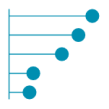 Show the value ranking while drawing more attention to the specific values than you would with a column or bar chart.
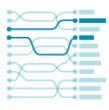 Show changes in ranking across multiple dates. For larger datasets, consider grouping lines by color.
Spatial
Use only when geographic patterns in data are the essential information in the chart.
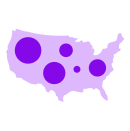 Show totals across a geographic area but avoid using this chart for rates. Note that minor data discrepancies can be hard to see.
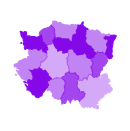 Show data on a map and use different color hues to indicate rates.
 Show unambiguous movement across a map.
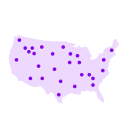 Show the location of individual events and highlight the patterns your audience needs to see.
Conceptual
Use for non-data charts to present ideas and convey concepts.
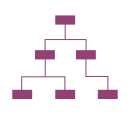 Show hierarchies in a tree structure, preferably when you want to highlight family relationships and descent.
 Show hierarchies in relationship to a single whole.
 Show sequential steps in a process.
 Show the possible relationships between a collection of sets.
 Show images accompanied by notes, labels, or a legend, to provide more insight into the image content.
 Show events in chronological order. Some timelines work on a scale, while others display them in sequence.